Talk to visitors on your business page while they are interested
A chat box opens on your Wefru business page. Visitors choose buy or support, you answer from your Chats inbox, and every chat is saved as a lead or a ticket.
- Free account
- No credit card needed
- Set up in a few minutes
Wefru Live Chat & Customer Tickets is a chat box on a business's Wefru website pages that lets visitors message the business, saves sales chats as leads and support chats as tickets, and gives the owner one inbox to reply from.By Wefru Business Desk · Updated
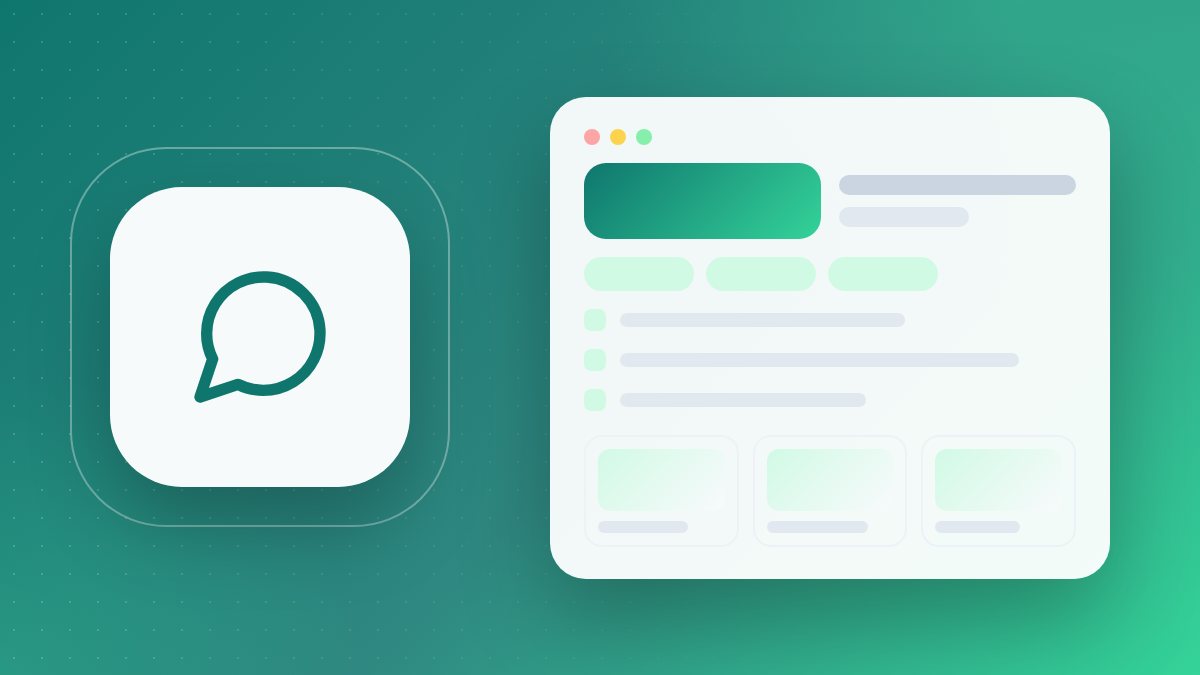
This is how it starts. Your real page uses your own details.
What you get when you sign up
Chat box on your business page
It sits on your Wefru website home, about, contact and product pages, and opens by itself a few seconds after a visitor arrives.
Buy or support, sorted for you
Visitors pick I want to Buy or I need Support. Buy chats become leads; support chats also open a ticket.
One Chats inbox
See open and closed chats, reply, close a chat, or tap WhatsApp to reach the visitor on the number they gave.
Tickets with a status
Each support chat is a ticket you move from open to in progress to closed, linked to its chat and its lead.
New chat alerts
An email for each new chat, and a chat counter on your dashboard pages so you notice new messages while you work.
Covered when you are away
When you are offline, the visitor gets one automatic reply, and you see a notice about new chats when you next sign in.
Before and after Wefru Live Chat
| What changes | Without Wefru | With Wefru |
|---|---|---|
| Visitor with a question | Leaves your page because there is no quick way to ask. | Types the question in the chat box right on your page. |
| Contact details | You never learn who visited or what they wanted. | Visitors who are not signed in give their name and mobile before the first message. |
| Sales and support | Orders and complaints mixed up on one phone line. | Buy chats go to Leads; support chats get a ticket with a status. |
| When you are busy | Messages go unanswered and the visitor gives up. | One automatic reply says you will get back, and the chat waits in your inbox. |
| History | No record of what was said or promised in a chat. | Every message is saved in the chat and in the lead's timeline. |
How it works
Set up your business page
Sign up and fill in your web information. The chat box then appears on your Wefru business pages without any install.
Visitors start a chat
They choose buy or support, add their name and mobile, answer a small sum check and send their message.
Reply from your inbox
Open Chats from your dashboard, reply, close the chat, or move the ticket to in progress or closed.
Start free. Upgrade when you want more reach.
Every tool on this page works on a free account. Paid packages add visibility on Wefru, Google, Bing and AI search.
Free
Your account and every tool on this page
- Chat box on your Wefru business pages
- Chats inbox with open and closed chats
- Support tickets: open, in progress, closed
- Buy chats saved as leads in your Leads desk
- Email alert for each new chat
Business Co-Pilot Pack
Your Business, Our Support—Together We Build a Local Brand!
- Personalised Business OneLink
- Add & Display Products
- Add & Display Services
- Enquiries Form & Appointment Booking
- Add Social Media & Marketplace Links
- Analytics Dashboard/Insights
- AI Chatbot / AI Content Writer / My Business QR
- SEO-Powered Product / Service Pages
- Google Page 1 + Near MeLocal area
- Social Media Visibility: FB Page, IG Account, YouTube, Google Maps
- Digital Brochure- 10 Pages
- Personalized Email ID: One
Starter
Get listed on Wefru, Google, Bing and AI search
- Personalised Business OneLink
- Phone Reveal
- Add & Display Products
- Add & Display Services
- Enquiries Form & Appointment Booking
- Business listing on Wefru
- Indexed on Google, Bing and AI search engines
- Up to 10 products
- 1 year validity
Growth
Everything in Starter, plus more reach
- Everything in Starter
- Up to 50 products
- Blog and content indexing
- Priority listing refresh
- 1 year validity
Business Launchpad Pro
Maximum visibility for your business
- Everything in Growth
- Unlimited products
- Dedicated onboarding call
- Monthly performance report
- 1 year validity
Prices come straight from our live package list and include everything shown. Pay by UPI or bank transfer and upload the receipt; the package starts once the payment is confirmed.
See all packages and city add-ons →
Explore all Wefru features
Your free account opens all of these. Pick what your business needs today and add more later.
Questions people ask
Does live chat cost extra?
No. The chat box, the Chats inbox and tickets come with the free Wefru account. If you want more from Wefru, paid packages are shown in the pricing table on this page.
How do I switch the chat on?
There is nothing to install. Once your Wefru business page is live, the chat box shows on its home, about, contact and product pages; on your blog pages only the small chat button shows. You will not see the chat box on your own pages while you are signed in.
Who is live chat for?
Businesses in India that get visitors on their Wefru page and want to answer questions before the visitor leaves, such as shops, traders, manufacturers and service providers. It also helps if you handle after-sales or service queries.
How do I know when someone writes?
You get an email for the first message of each new chat, and while you are signed in, a counter on your dashboard pages shows unread chats. You count as online if your dashboard was open in the last 5 minutes; otherwise the visitor gets one automatic reply and you see a notice when you next sign in.
Will the visitor see my reply if they have left the page?
Your reply shows in the chat box on your page. The visitor sees it while the page is open, or when they come back on the same browser. Wefru does not email or text your reply to them, so for an urgent answer call or WhatsApp the mobile number they gave. Chats are text only.
What details do visitors share, and who sees them?
Visitors who are not signed in give their name and mobile number, and an email if they wish; for signed-in members the name comes from their account. The chat is shown only in your own signed-in inbox. The visitor's browser keeps only a random chat key, not their details.