Blog by Digital Marketing Courses in Pune with Placement Support | Digital Diary
" To Present local Business identity in front of global market"
Digital Diary Submit Post
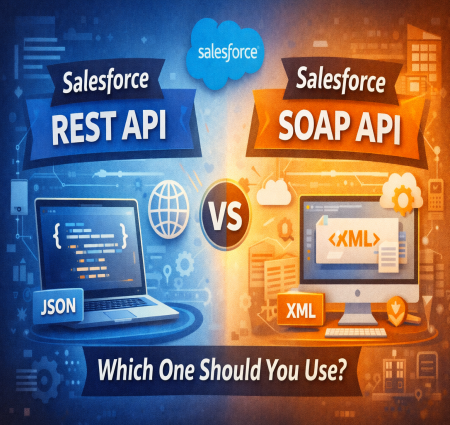
Salesforce REST API vs SOAP API: Which One Should You Use? Salesforce is one of the most powerful cloud-based CRM platforms used by businesses around the world. To connect Salesforce with other applications, developers rely heavily on APIs (Application Programming Interfaces). Among the most widely used Salesforce APIs are the REST API and the SOAP API. Both allow systems to communicate with Sales...
Read More
Salesforce is one of the most powerful cloud-based CRM platforms used by businesses around the world. To connect Salesforce with other applications, developers rely heavily on APIs (Application Programming Interfaces). Among the most widely used Salesforce APIs are the REST API and the SOAP API. Both allow systems to communicate with Salesforce, but they differ in structure, flexibility, and use cases.
Understanding the difference between these APIs is essential for developers and administrators who want to build integrations or automation workflows. Many professionals learn these concepts in hands-on salesforce classes in pune and practical salesforce training pune programs where real-world integration scenarios are covered.
In this blog, we will explore the key differences between Salesforce REST API and SOAP API, their advantages, and when you should use each one.
Before comparing REST and SOAP APIs, it is important to understand what an API is.
An API (Application Programming Interface) allows different software systems to communicate with each other. In Salesforce, APIs allow external applications such as websites, mobile apps, or enterprise systems to interact with Salesforce data.
Using APIs, developers can:
Retrieve Salesforce data
Insert new records
Update existing records
Delete records
Integrate Salesforce with external systems
These integration skills are an essential part of modern salesforce training pune programs designed for CRM developers.
The REST API (Representational State Transfer) is a lightweight and flexible API that uses standard HTTP methods to interact with Salesforce.
REST API communicates using JSON or XML formats and is commonly used for web and mobile applications.
• Uses simple HTTP methods such as GET, POST, PATCH, and DELETE • Supports JSON format which is lightweight and easy to use
• Faster and more efficient for modern applications
• Ideal for mobile apps and web integrations
• Easy to test using tools like Postman
Because of its simplicity and flexibility, REST API is widely used by modern developers integrating Salesforce with digital platforms.
Students learning integration in advanced salesforce classes in pune often practice building REST API connections with external applications.
The SOAP API (Simple Object Access Protocol) is a protocol-based API that uses XML messaging for communication.
SOAP API follows a strict set of standards and relies on WSDL (Web Services Description Language) files that define how the API operates.
• Uses XML messaging format • Requires WSDL files for communication
• Highly structured and standardized
• Strong error handling capabilities
• Best suited for enterprise-level integrations
Although SOAP API is more complex than REST API, it is still widely used in enterprise environments where strict data standards are required.
Learning how SOAP APIs work is an important topic covered in professional salesforce training pune programs.
Understanding the differences between REST and SOAP APIs helps developers choose the right integration method.
REST API supports both JSON and XML, while SOAP API only supports XML.
JSON is lightweight and easier to process, which makes REST API faster for many modern applications.
REST API is simpler and easier to implement.
SOAP API is more complex because it requires WSDL configuration and strict protocol rules.
Developers new to Salesforce integrations often start with REST APIs in practical salesforce classes in pune before learning SOAP integrations.
REST API generally offers better performance and faster response times due to its lightweight structure.
SOAP API can be slower because XML messages are larger and require more processing.
SOAP API provides built-in security features such as WS-Security standards.
REST API typically relies on OAuth authentication and HTTPS security.
Both APIs are secure when implemented correctly.
REST API is highly flexible and works well with modern web technologies.
SOAP API is more rigid but ensures strict compliance with enterprise standards.
REST API is the preferred choice for many modern integrations.
You should use REST API when:
• Building mobile applications • Integrating Salesforce with websites
• Creating lightweight web services
• Working with JSON-based applications
• Building quick integrations
REST API is commonly used for digital platforms, startups, and cloud-based applications.
Developers practicing integrations in salesforce training pune often start with REST APIs because they are easier to learn and implement.
SOAP API is better suited for structured enterprise integrations.
You should use SOAP API when:
• Working with enterprise-level systems • Integrating with legacy systems
• Requiring strict data contracts
• Needing advanced error handling
• Working with systems that require WSDL files
Large organizations with complex infrastructures often rely on SOAP API integrations.
Understanding both APIs helps professionals working in enterprise CRM environments after completing salesforce classes in pune.
A mobile banking app that displays customer account information from Salesforce would likely use REST API because it supports lightweight JSON responses and faster performance.
A company integrating Salesforce with a legacy ERP system might use SOAP API because it requires strict communication protocols and structured data exchange.
A website collecting leads and sending them to Salesforce would typically use REST API for quick and simple integration.
When working with Salesforce APIs, developers should follow several best practices.
Always use secure authentication methods such as OAuth when connecting external systems to Salesforce.
Salesforce has API usage limits based on your organization's license.
Developers should monitor usage to avoid exceeding these limits.
Instead of making multiple API calls, developers should use batch operations whenever possible.
Error handling ensures that integration processes run smoothly even when issues occur.
Always test API integrations in Salesforce Sandbox environments before deploying them in production.
These best practices are typically taught through hands-on labs in advanced salesforce training pune courses.
As businesses increasingly connect Salesforce with external systems, the demand for integration specialists continues to grow.
Professionals with Salesforce API expertise can pursue roles such as:
Salesforce Developer
Integration Specialist
CRM Architect
Salesforce Technical Consultant
API Developer
Learning integration technologies through practical salesforce classes in pune can help students build strong technical skills required by top companies.
Structured salesforce training pune programs provide hands-on experience with APIs, automation, and real-world integration scenarios.
Both Salesforce REST API and SOAP API play an important role in connecting Salesforce with external applications. REST API is lightweight, flexible, and ideal for modern web and mobile integrations, while SOAP API provides a more structured approach suited for enterprise-level systems.
Choosing the right API depends on your project requirements, system architecture, and integration complexity. Developers who understand both APIs can build powerful and scalable Salesforce integrations.
If you want to build a successful career in CRM development, learning Salesforce APIs through professional salesforce classes in pune and hands-on salesforce training pune can help you gain the practical skills needed to work with real-world Salesforce integrations.
Read Full Blog...
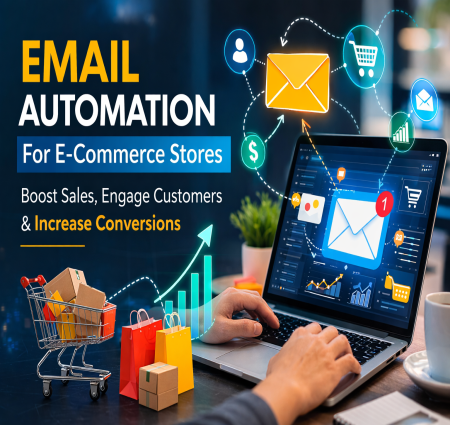
Email Automation for E-commerce Stores: Boost Sales and Customer Engagement In the fast-growing world of online shopping, competition among e-commerce stores is intense. Businesses need smarter strategies to engage customers, increase conversions, and build long-term relationships. One of the most powerful tools for achieving this is Email Automation. It helps e-commerce brands send the right mess...
Read More
In the fast-growing world of online shopping, competition among e-commerce stores is intense. Businesses need smarter strategies to engage customers, increase conversions, and build long-term relationships. One of the most powerful tools for achieving this is Email Automation. It helps e-commerce brands send the right message to the right customer at the right time-automatically.
For aspiring marketers learning these strategies through digital marketing courses in Pune, email automation is a must-have skill. Understanding how automation works can significantly improve customer retention, drive repeat purchases, and maximize ROI for e-commerce brands.
In this blog, we will explore what email automation is, why it is important for e-commerce stores, and how businesses can use it effectively.
Email automation is the process of sending targeted emails to customers automatically based on predefined triggers, behaviors, or timelines. Instead of manually sending emails to each customer, automation tools send personalized messages based on customer actions.
For example:
A welcome email when someone signs up
A reminder email when a customer abandons their cart
A discount offer on a customer's birthday
Product recommendations based on previous purchases
Learning how to set up and optimize such automation workflows is a key part of modern marketing training, especially in digital marketing training institute in Pune programs.
Customers receive relevant messages based on their interests and behavior. This personalization makes emails more engaging and increases the chances of interaction.
For example, if a customer browses shoes on your website, an automated email can show similar products or special offers on shoes.
Automated emails help recover lost opportunities. One of the most common examples is cart abandonment emails. Many shoppers add products to their cart but leave without purchasing.
Automated reminder emails can bring them back and encourage them to complete the purchase.
Studies show that cart recovery emails can significantly increase conversion rates.
Manual email marketing requires a lot of time and effort. Email automation allows businesses to create workflows once and let the system handle the rest.
This allows marketing teams to focus on strategy, creativity, and campaign optimization instead of repetitive tasks.
E-commerce stores may have thousands of customers. Automation tools allow businesses to personalize emails for each customer based on their behavior, purchase history, and preferences.
Personalized emails generate higher open rates, better click-through rates, and stronger customer loyalty.
These advanced strategies are commonly taught in digital marketing courses in Pune, helping students understand real-world marketing techniques.
The first email interaction with a new customer is very important. A welcome email introduces your brand, builds trust, and encourages customers to explore your products.
A welcome series may include:
Brand introduction
Product highlights
Special welcome discount
Customer reviews and testimonials
This helps create a strong first impression.
Cart abandonment is one of the biggest challenges for e-commerce businesses. Customers often leave without completing their purchase.
Automated cart reminder emails help recover those lost sales.
A typical cart recovery sequence includes:
Reminder email after 1 hour
Follow-up email after 24 hours
Discount or offer after 48 hours
These emails remind customers about the products they left behind and motivate them to complete their purchase.
Recommendation emails suggest products based on:
Browsing behavior
Past purchases
Popular items
Seasonal trends
For example:
"Customers who bought this also bought…"
These emails help increase average order value and improve the overall shopping experience.
After a customer completes a purchase, businesses can send automated emails such as:
Order confirmation
Shipping updates
Product usage tips
Review requests
Cross-sell recommendations
These emails improve customer satisfaction and encourage repeat purchases.
Some customers stop interacting with your brand after some time. Re-engagement campaigns aim to bring them back.
Examples include:
"We miss you" emails
Special discounts
New product launches
Exclusive offers
These campaigns help revive inactive customers and maintain long-term relationships.
Not every customer is the same. Segmenting your audience helps send more relevant emails.
Common segments include:
New customers
Repeat buyers
High-value customers
Inactive subscribers
Segmentation improves engagement and increases campaign performance.
Personalization goes beyond adding a customer's name. It includes:
Product recommendations
Location-based offers
Purchase history
Customer preferences
Highly personalized emails make customers feel valued and understood.
Most people check emails on their smartphones. Ensure that your email design is mobile-friendly.
Key elements include:
Responsive design
Short subject lines
Clear call-to-action buttons
Fast loading images
A/B testing helps identify what works best for your audience.
You can test:
Subject lines
Email layouts
Call-to-action buttons
Send timing
Regular testing improves open rates, click rates, and conversions.
A clean email list ensures better deliverability and engagement.
Businesses should:
Remove inactive subscribers
Avoid buying email lists
Follow email compliance rules
Provide easy unsubscribe options
This helps maintain a strong sender reputation.
Many tools help automate email marketing campaigns effectively.
Some popular platforms include:
Mailchimp
Klaviyo
HubSpot
ActiveCampaign
Omnisend
These tools allow businesses to create workflows, track performance, and optimize campaigns easily.
Learning how to use these tools is often part of practical training in digital marketing training institute in Pune programs.
Email marketing and automation are essential skills for digital marketers. Businesses across industries need professionals who can create and manage automation campaigns.
Career roles include:
Email Marketing Specialist
Marketing Automation Manager
CRM Executive
Digital Marketing Manager
Students enrolling in digital marketing courses in Pune can gain hands-on experience with automation tools and real marketing projects.
Email automation has become a powerful marketing strategy for e-commerce stores. It helps businesses engage customers, recover abandoned carts, increase sales, and build long-term relationships.
By sending personalized and timely emails, brands can create a seamless customer journey and improve overall marketing performance.
For individuals interested in building a career in digital marketing, learning email automation is an essential skill. Joining a digital marketing training institute in Pune can provide practical knowledge, industry tools, and real-world experience to succeed in the evolving digital marketing landscape.
With the right strategies and automation tools, e-commerce businesses can turn simple email campaigns into powerful revenue-generating machines.
Read Full Blog...--icon----> --icon---->