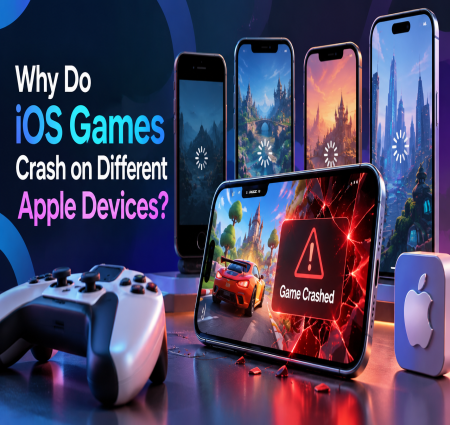
Why Do iOS Games Crash on Different Apple Devices?
꧁ Digital Diary ༒ Wefru – India's Largest Writing Community ༒ Read, Write & Grow ༒꧂

꧁ Digital Diary ༒ Wefru – India's Largest Writing Community ༒ Read, Write & Grow ༒꧂
Scan QR code to visit our website

Imagine launching your new iOS game and receiving complaints that it works perfectly on newer iPhones but crashes on older models. This is a common challenge in mobile game development. A game that performs well on one Apple device may not deliver the same experience across every iPhone and iPad.
The problem usually comes down to hardware differences, memory limitations, software compatibility, and optimization. Let's understand why these crashes happen and how developers can prevent them.
iOS games crash because of insufficient memory, incompatible iOS versions, hardware limitations, coding errors, and poor resource management. Differences in device capabilities can affect how a game handles graphics, animations, background processes, and network operations.
Here are the most common causes.
Not every iPhone has the same processor, GPU, or available memory. For example, a graphics-intensive game might run smoothly on a newer iPhone but struggle on an older model.
Developers should optimize graphics quality, reduce unnecessary background processes, and adjust resource usage according to device capabilities.
Games use memory to load textures, animations, sound effects, and other assets. When an application consumes too much memory, iOS may terminate it to protect system performance.
Developers can prevent this by:
Compressing large game assets.
Releasing unused resources.
Optimizing texture sizes.
Avoiding unnecessary memory allocation.
Different devices may run different iOS versions. If a game depends on APIs or features unavailable in older versions, compatibility issues can occur.
Testing across supported iOS versions helps identify these problems before launch.
High-resolution textures, complex animations, and advanced visual effects can increase GPU usage. Without proper optimization, games may experience overheating, frame drops, or unexpected crashes.
Using efficient rendering techniques and device-specific graphics settings helps maintain consistent performance.
Testing a game on only one iPhone is not enough. Developers should evaluate performance across different device generations, screen sizes, and supported operating system versions.
Crash reports and performance monitoring tools also help identify problems that may not appear during initial testing.
An experienced iOS Game Development Company can identify compatibility risks during development rather than waiting for users to report them.
A reliable development process includes device compatibility testing, memory profiling, performance optimization, crash monitoring, and regular updates.
iOS game crashes are often caused by hardware limitations, memory problems, software compatibility, and insufficient testing. Identifying these issues early helps developers deliver smoother gameplay across Apple devices.
Planning an iOS game project? Explore CryptoApe's iOS Game Development Services to build optimized, reliable gaming experiences.
Verified Brand
CryptoApe is a leading blockchain and cryptocurrency development company offering secure, scalable, and customizable solutions for crypto exchanges, wallets, token creation, and ICO/STO launches. With an expert team, advanced technology, and 24/7 support, we help startups and enterprises launch high-performance platforms quickly and affordably.
Have a question about this post? Send it straight to the author — only they will see it.
We are accepting Guest Posting on our website for all categories.

I want to Hire a Professional..

CryptoAPE
Verified Author Expert@DigitalDiaryWefru